Appearance
Salt Admin Component Library
Adding icons to the Salt Admin Component Library
The first step is to check the Asana task to find the next icon that needs to be added to the component library. Next, open up the Delta LMS codebase and navigate to the icons folder. Copy the code of the icon.
In the Salt Admin Component Library Repo, create a new folder with the name of the icon in src/components . Inside that folder, create a new file with the name of the icon and the .vue extension, e.g IconCopy.vue. Paste the code into the newly created Vue.js file.
Change the script tag to be:
tsx
<script lang="ts">Import the IconWrapper component :
tsx
<script lang="ts">
import IconWrapper from "../IconWrapper.vue";
export default {
  components: {
    IconWrapper,
  },
The IconWrapper component in the Delta LMS has all the props listed out. To be more succinct, replace it with v-bind="$props":
tsx
// In Delta:
<icon-wrapper
	:size="size"
	:viewBox="viewBox"
	:fill="fill"
	:strokeWidth="strokeWidth">

// Change to:
<icon-wrapper v-bind="$props">
We need to add a unique name to each component to avoid conflicts during global registration. For icons, the name is “Slt” followed by the name of the icon, so change the name property of the component as follows:
tsx
<script lang="ts">
export default {
  name: "SltIconCopy",
Create a file called index.ts inside the same icon folder. Add the following to the file and change the name of the icon wherever it is referenced:
tsx
import { App, Plugin } from 'vue'

import IconCopy from './IconCopy.vue'

import { registerComponent } from '@/utils/plugins'

export default {
	install(app: App) {
		registerComponent(app, IconCopy)
	},
} as Plugin

export { IconCopy as SltIconCopy }
Your folder structure should look like this when finished:
- src
- components
- IconCopy
- IconCopy.vue
- index.ts
- IconCopy
- components
There is also an icons.ts file within the components folder. This is used to export the icons so that they can be globally registration when the package is installed. Inside this file, you need to import and then export the new icon:
tsx
// .. Other icons
import IconCopy from './IconCopy'

export {
	// ..Other icons
	IconCopy,
}
Create a new story file inside src/stories/icons/ with the name of the icon and the stories.js extension, e.g IconCopy.stories.js. This file should always be the same, the only change is the name of the icon component, e.g:
jsx
import SltIconCopy from '../../components/Icons/IconCopy/IconCopy.vue'
import IconArgTypes from './IconArgTypes'

export default {
	title: 'Icons/Copy',
	component: SltIconCopy,
	argTypes: IconArgTypes,
}

export const Copy = (args) => ({
	components: { SltIconCopy },
	setup() {
		return { args }
	},
	template: "<slt-icon-copy v-bind='args' />",
})
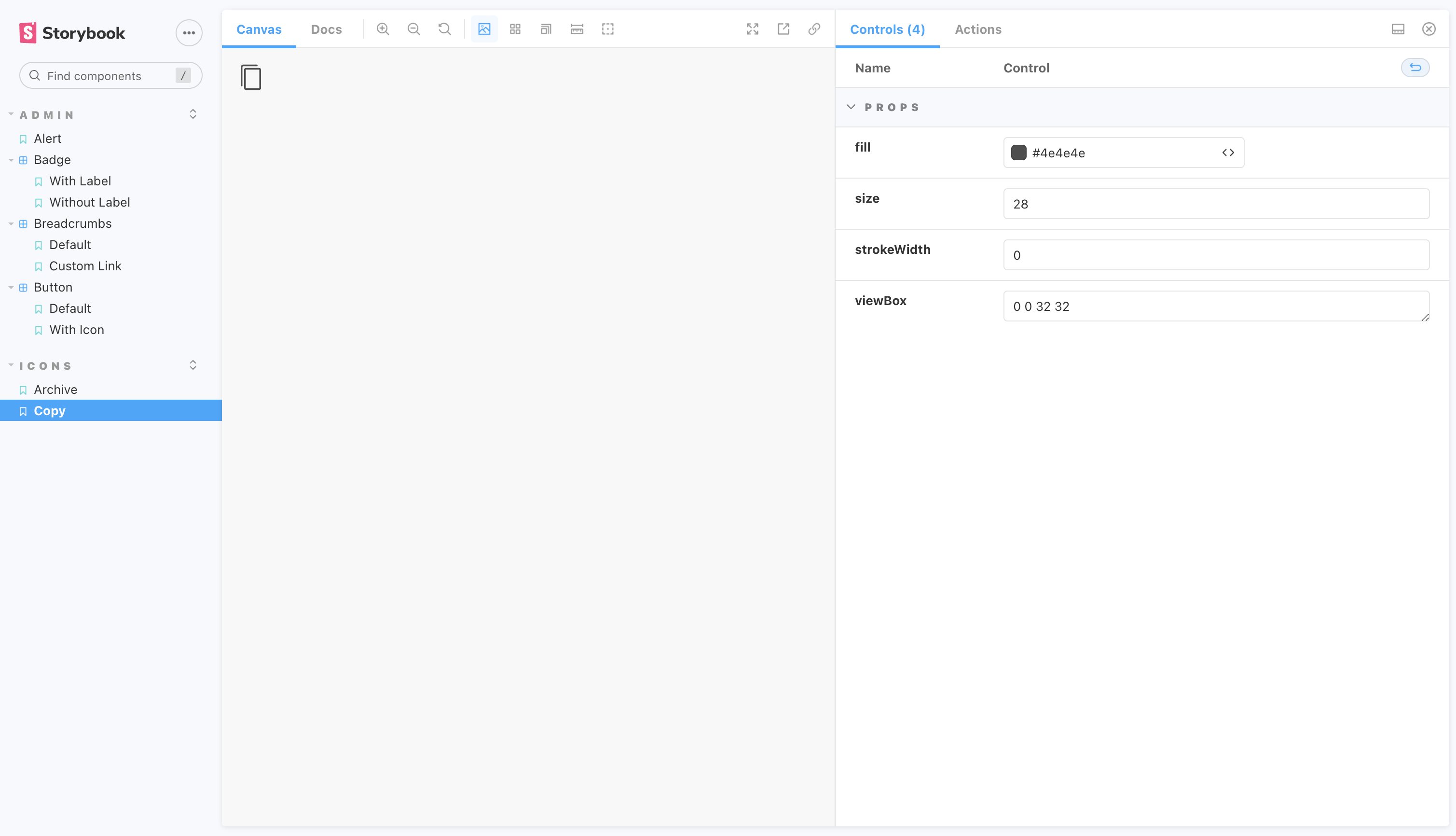
That’s it! If you run npm run storybook, your icon should show up: